
How it works
You keep control.
We keep it running.
Here's the life of one maintenance request, from a panicked tenant text to a closed work order, and exactly where you are (and aren't) in the loop. Behind it, several AI agents handle the triage, dispatch, scheduling, and follow-up.
2:04 AM. A toilet overflows.
The tenant opens the chat, types two sentences, and sends a photo. AI vision sizes up the damage, asks the one question that matters, drafts the work order, and lines up the right vendor, all before most of us would have found our phone on the nightstand.
We coordinate with your preferred plumber.
KeepTen doesn't have a vendor network. You do. Keeper, KeepTen's AI, picks the right vendor from your preferred list, sends the full work order with photos and its assessment, and negotiates a time that works for the tenant. Vendors get their own portal: job queue, accept/decline, quotes, invoices.
If a vendor goes quiet, KeepTen nudges, then flags them for reassignment, automatically and on urgency-based SLAs. Nobody falls through the cracks because nobody is "waiting to hear back."
Maple St fourplex · urgent · tenant photos + AI assessment attached · tenant available after 8 AM
Your job: one tap over coffee.
This vendor's quote is under your $300 repairs auto-approve limit, so it could have auto-approved. But say it wasn't. You'd get this card in the app and by email. Approve, decline, or ask the AI a question about it. That's the whole job.
Every AI reply to your tenant passed a quality audit before sending. Anything that fails is held for a human and you're alerted. And you can take over any conversation, any time, with one tap.
Approval needed · 7:02 AM
Clear blocked main line
Reliable Plumbing · Maple St Unit 2 · this morning
It lands in your inbox too. Approvals that stall get nudged, then escalated.
Your AI toolkit is here.
The story above is just one of many examples. Here's the toolkit behind every request, all shipped and working today.
Before the first request
Set your rules, once.
Give each category an auto-approve limit. Anything routine and inside the number goes ahead; anything over it, or out of the ordinary, waits for you. No limits set? Then everything asks first. You're never surprised by a bill you didn't bless.
Minor issues can also be set to "DIY guidance first," where Keeper walks the tenant through it before anyone is dispatched.
Auto-approve limits · Maple St fourplex
It sees what's wrong
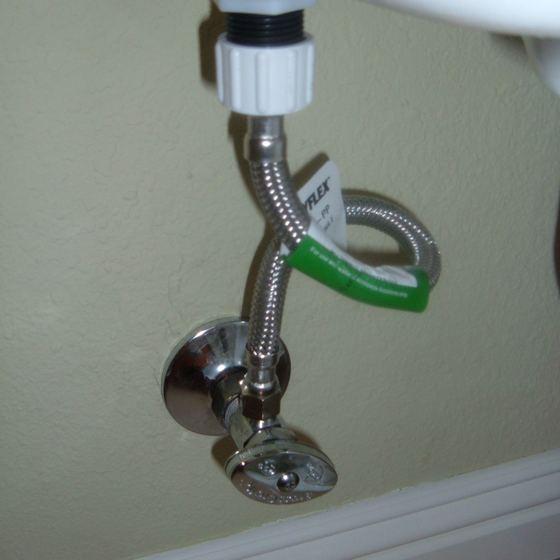
AI vision: "Supply-line drip at the shutoff valve, not the tank. Low urgency, about $120 to fix."
Photo intelligence
Tenants attach a photo and AI vision reads the extent and likely source, often answering the follow-up questions before anyone asks. The photo and the assessment travel with the work order.
911 first. "I smell gas in the hallway" → safety script + instant landlord alert.
Emergency detection
Gas, CO, fire, flooding, and electrical are caught deterministically, not by a model's judgment. The tenant is told to call 911 first, and your phone gets an urgent alert.
You stay the boss
Draft reply → quality audit
Passed. Sent to the tenant.
Quality-audited replies
Every reply to a tenant passes a quality audit before it sends. Anything the audit flags is held for a human, and you're alerted.
"Approve the two under $200."
"Raise the repairs budget to $500."
An assistant that acts
The dashboard has a conversational AI that actually does things. Ask it to clear approvals, set budgets, or total your spend, all in plain English.
Nothing falls through
Approval pending 36h → nudged → escalated
Vendor silent past SLA → flagged
Follow-up automation
Stale approvals get nudged, then escalated. Vendors who go quiet get flagged for reassignment, all on urgency-based SLAs.
Confirmed Thu 9-11 AM · vendor + tenant both notified
Scheduling, handled
Keeper coordinates a time between your vendor and tenant directly, ending the three-way text chain. The confirmation lands on your dashboard calendar.
It knows your buildings
Remembered: "Unit 3's breaker panel is in the bedroom closet."
Per-property memory
Unit quirks, recurring issues, and your preferences are remembered per unit. Asked once, never again.
Spend reporting
Maintenance history and spend, broken out by property and category. The paper trail your accountant wishes you kept.
On your phone
KeepTen installs to your home screen on iOS and Android and updates itself, so there is never a version to chase. Notifications land on your phone, in the app, and by email.
Ready to reclaim
your weekends?
30 days free, 20 requests included. Set your rules tonight; sleep through the next crisis.
Start your free trial